Kubernetes-03-集群搭建

集群搭建类型

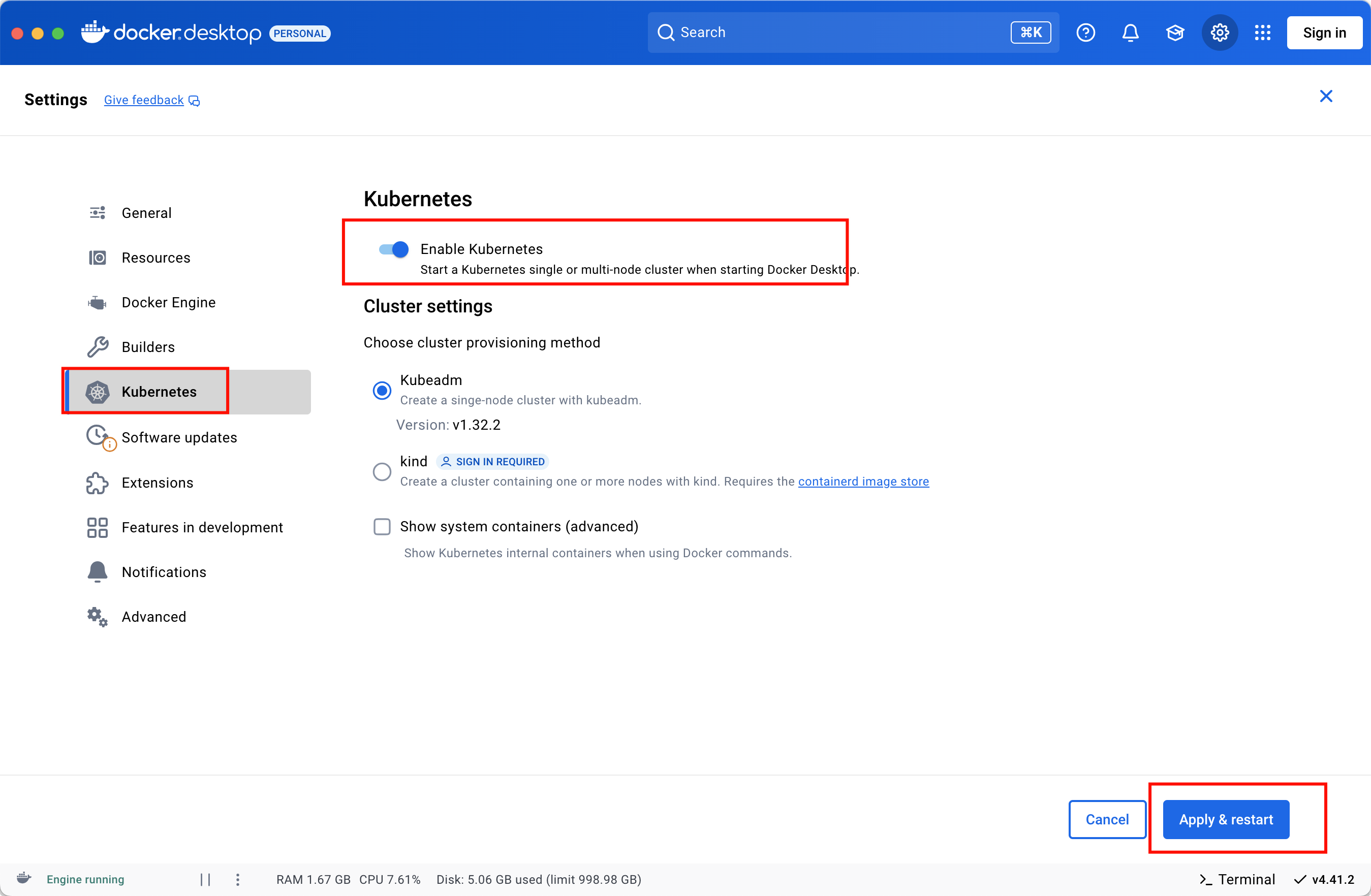
  • minikube
    只是一个 K8S 集群模拟器,只有一个节点的集群,只为测试用,master 和 worker 都在一起。

  • 裸机安装
    至少需要两台机器(主节点、工作节点个一台),需要自己安装 Kubernetes 组件,配置会稍微麻烦点。
    缺点:配置麻烦,缺少生态支持,例如负载均衡器、云存储。

  • 直接用云平台 Kubernetes
    可视化搭建,只需简单几步就可以创建好一个集群。
    优点:安装简单,生态齐全,负载均衡器、存储等都给你配套好,简单操作就搞定

  • k3s

    安装简单,脚本自动完成。

    优点:轻量级,配置要求低,安装简单,生态齐全。

minikube
裸机安装

环境准备

  • 节点数量: 3 台虚拟机 centos7
  • 硬件配置: 2G或更多的RAM,2个CPU或更多的CPU,硬盘至少30G 以上
  • 网络要求: 多个节点之间网络互通,每个节点能访问外网

初始化系统

创建虚拟机
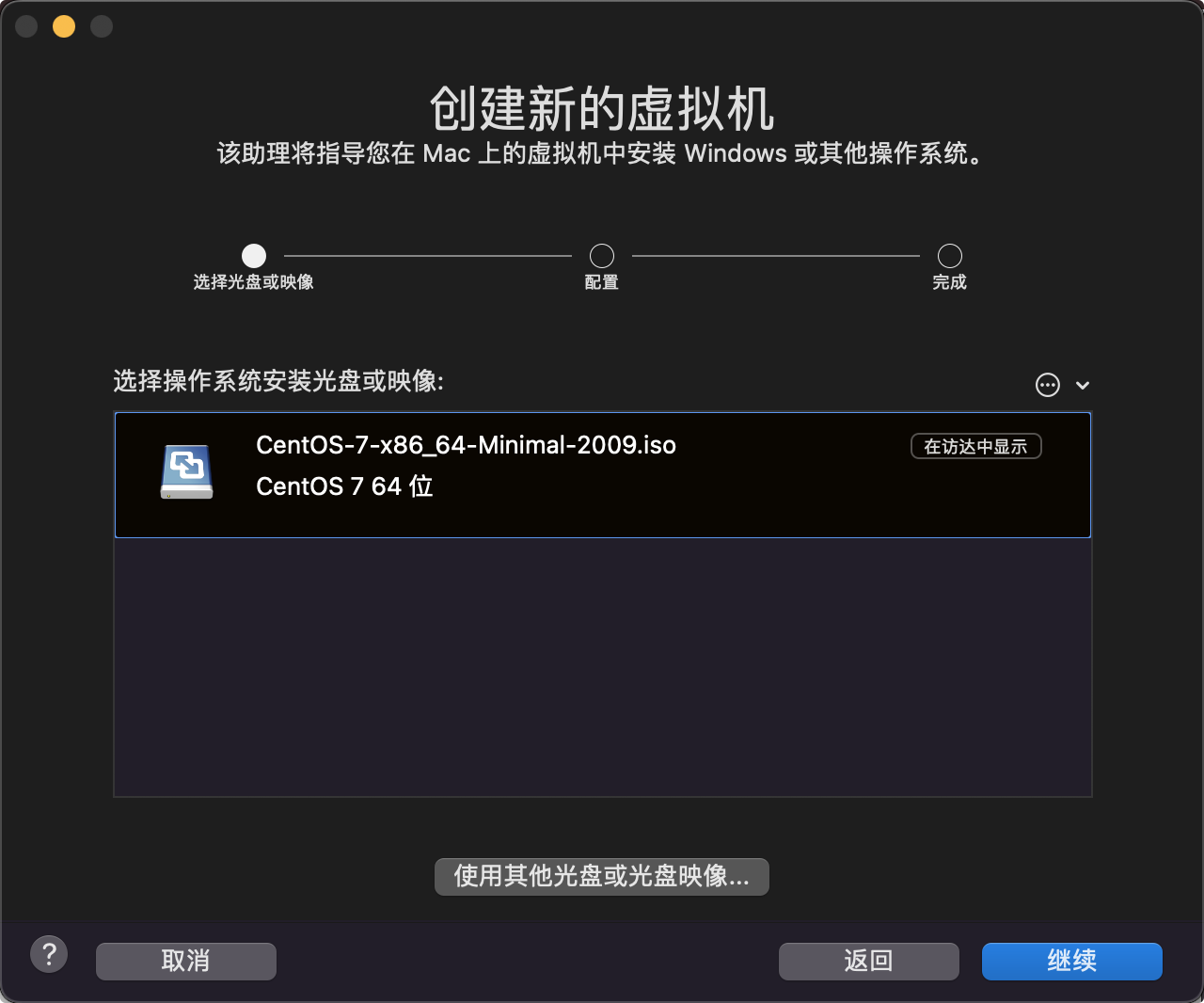
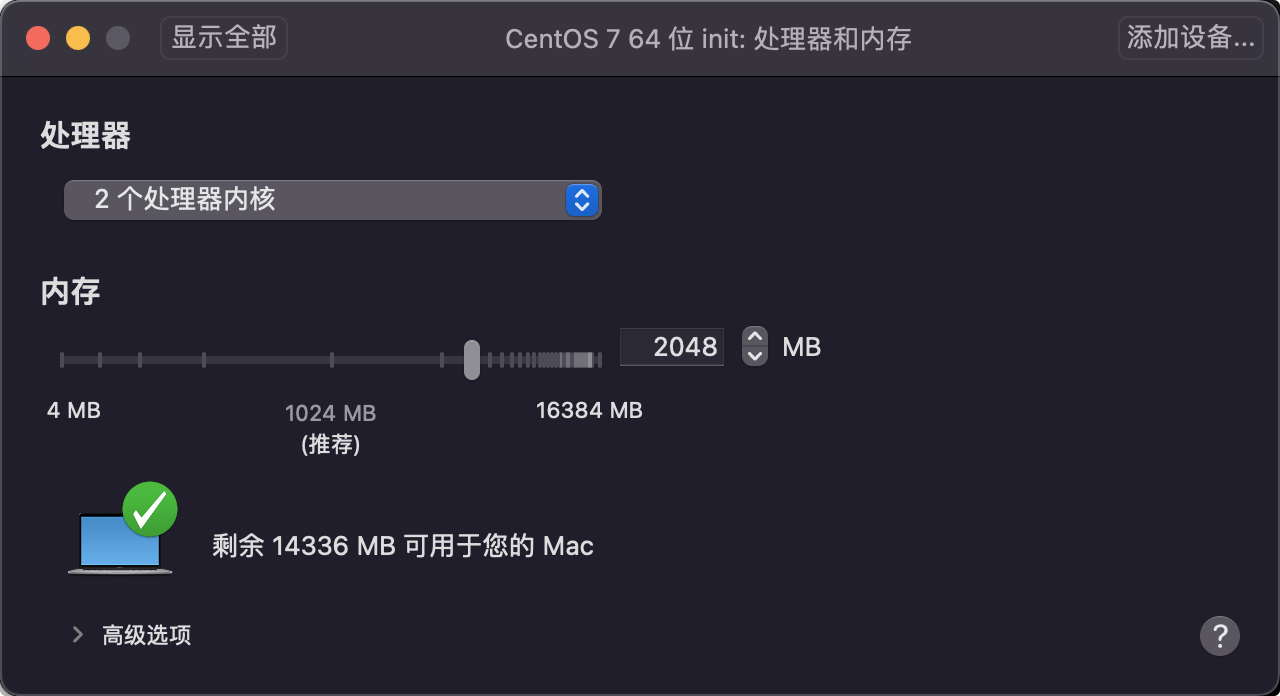
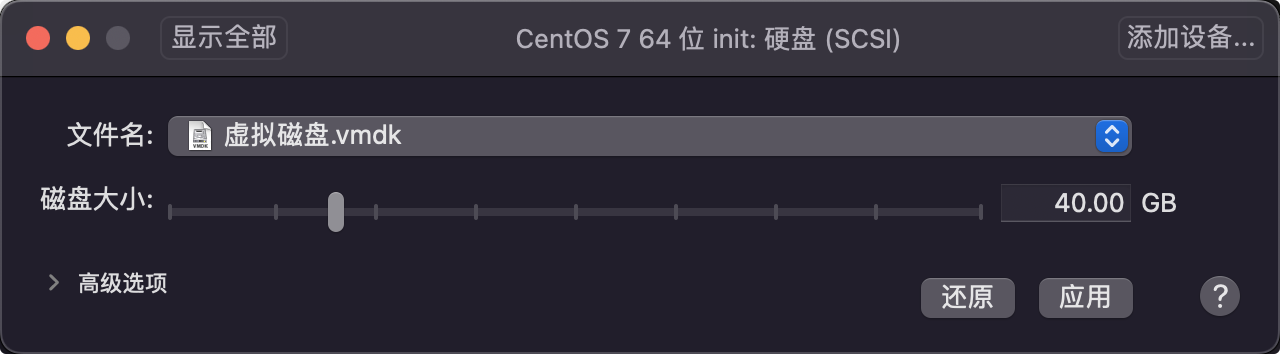
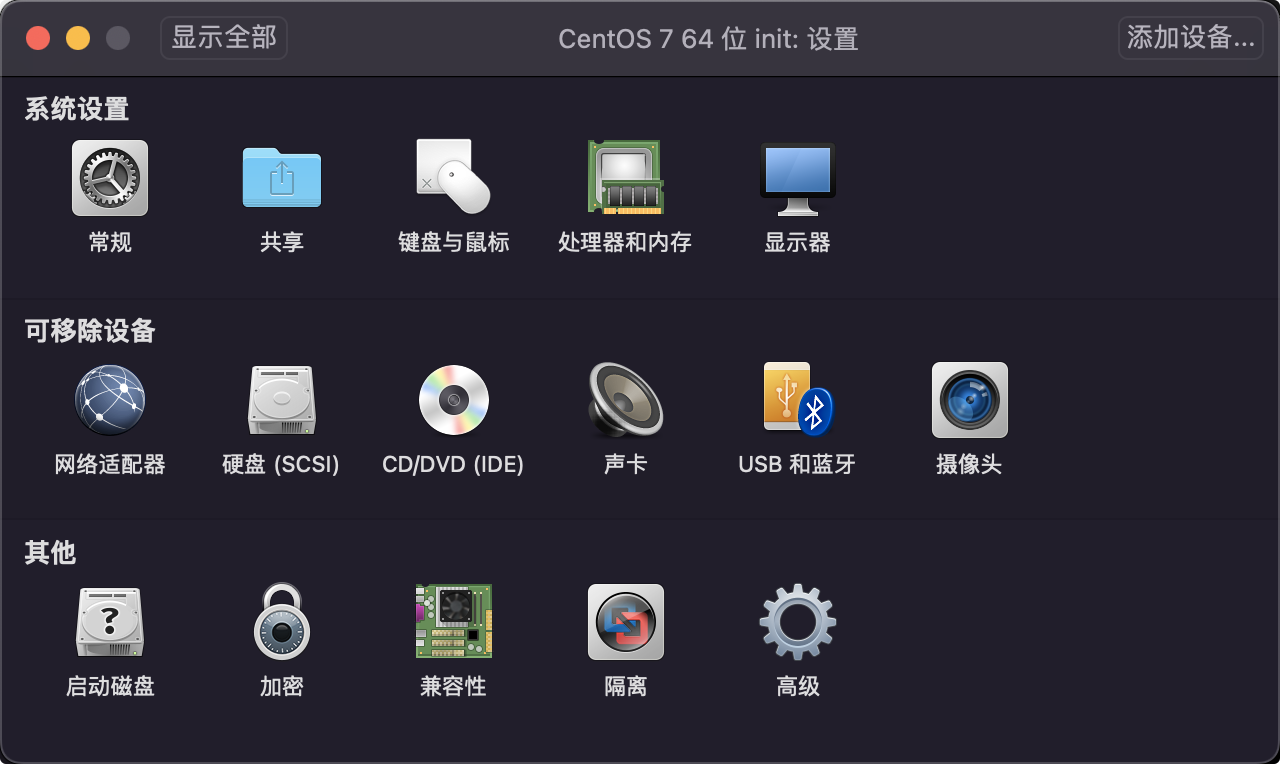
配置cpu 内存 硬盘
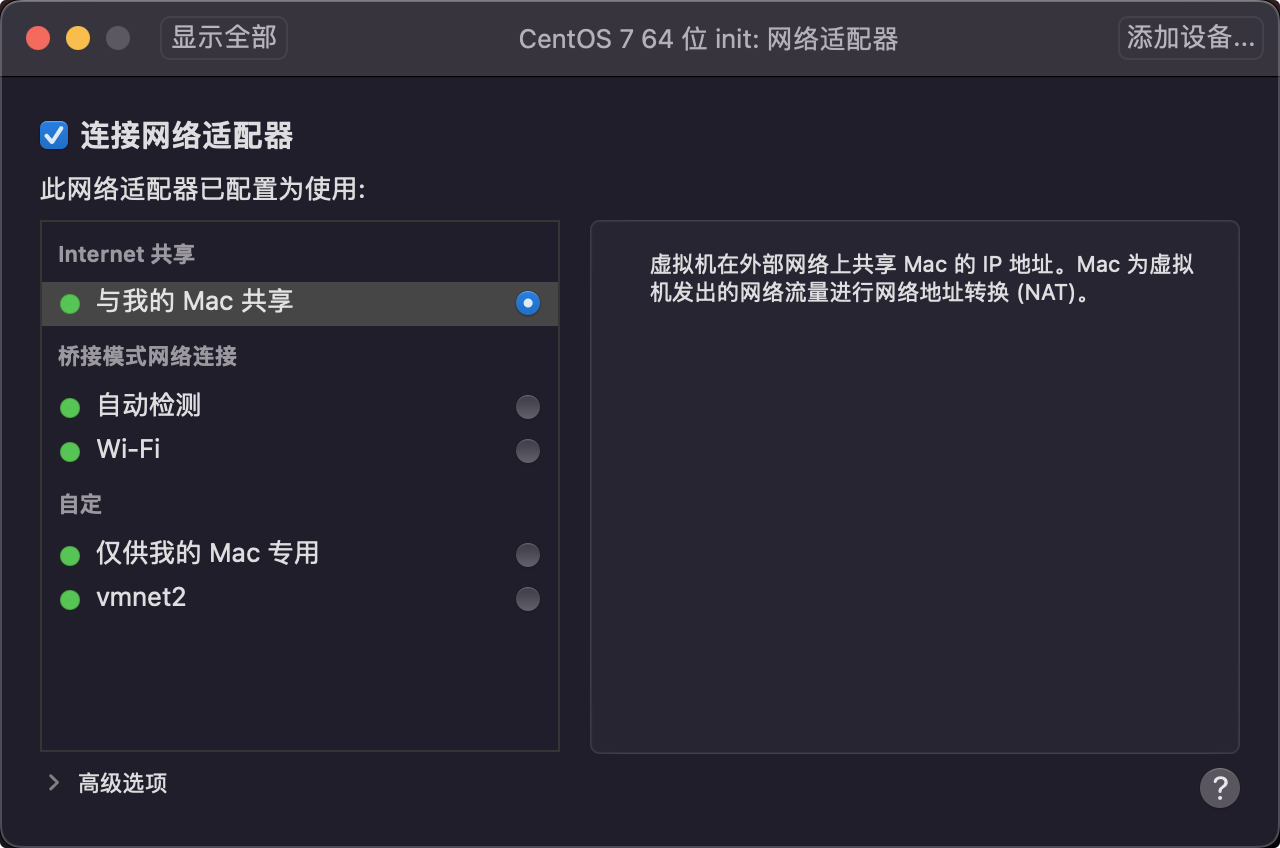
网络默认
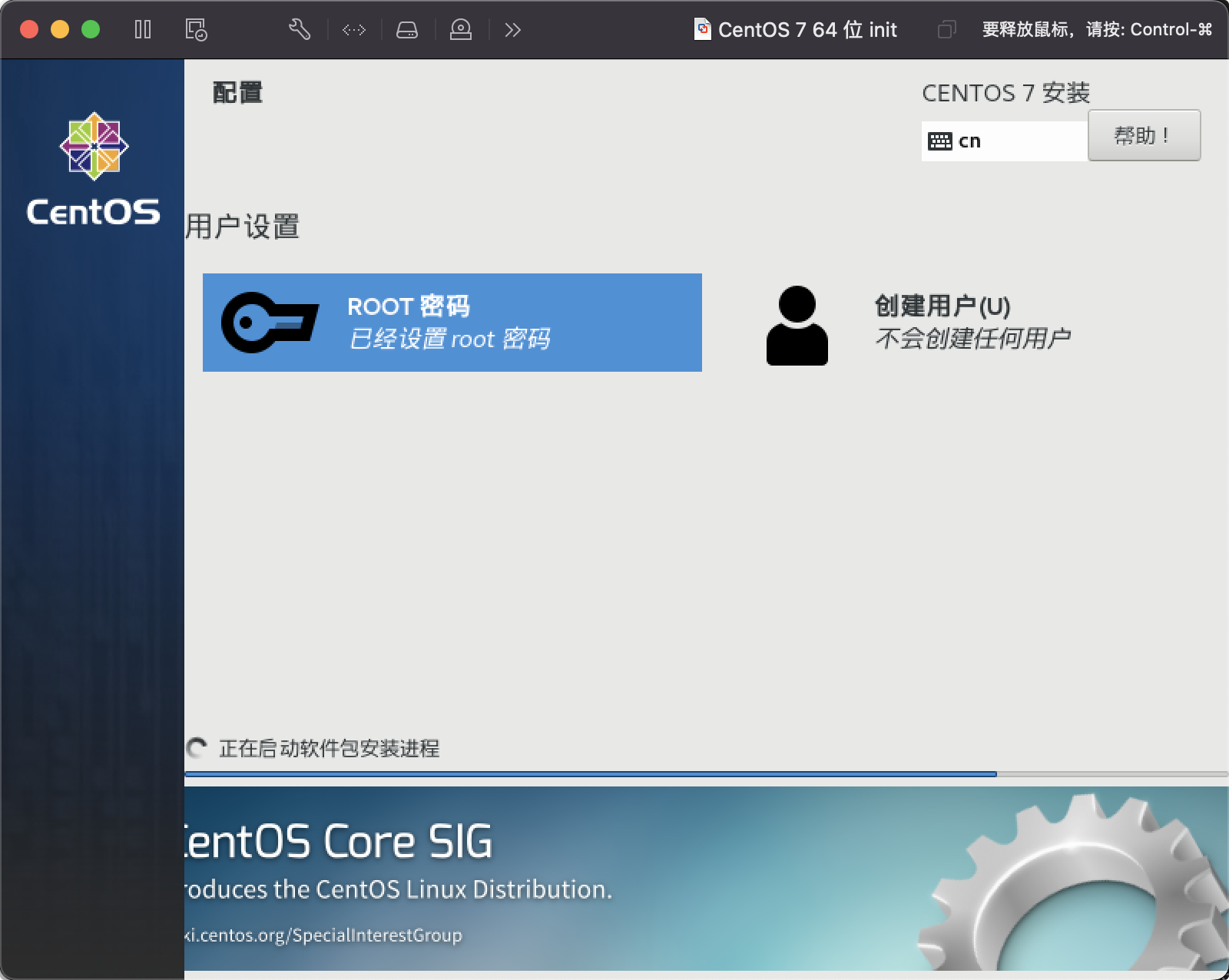
开始安装
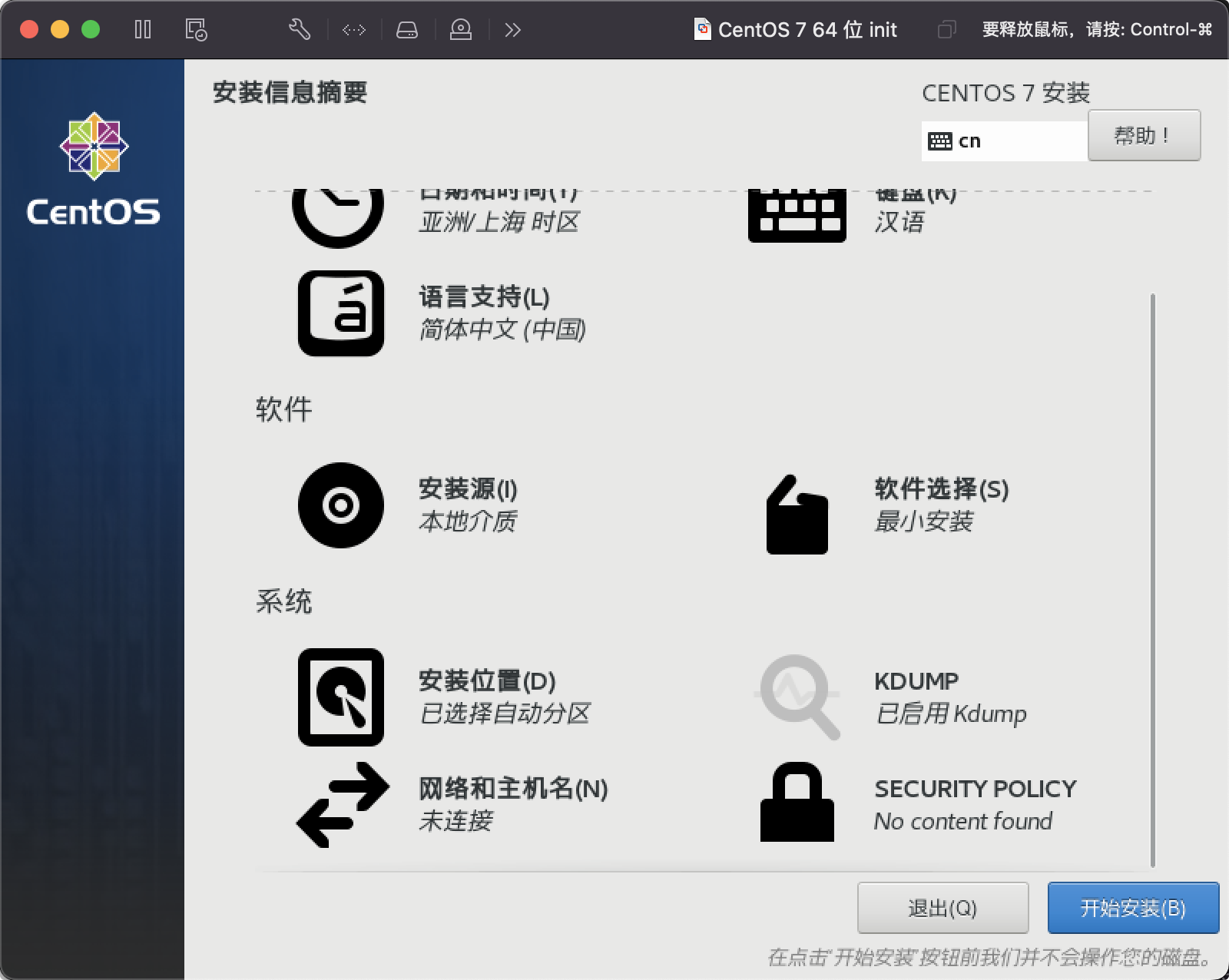
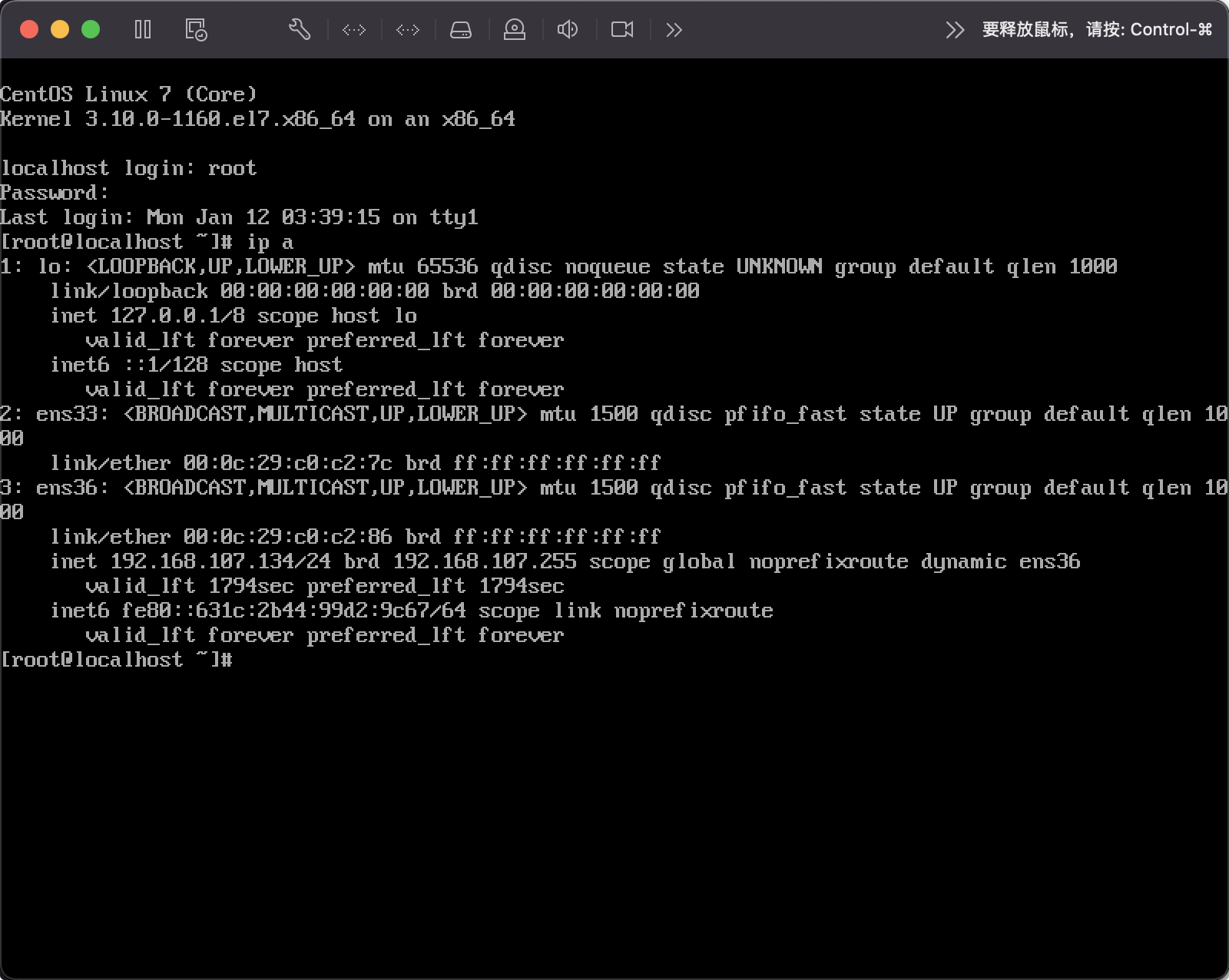
启动成功
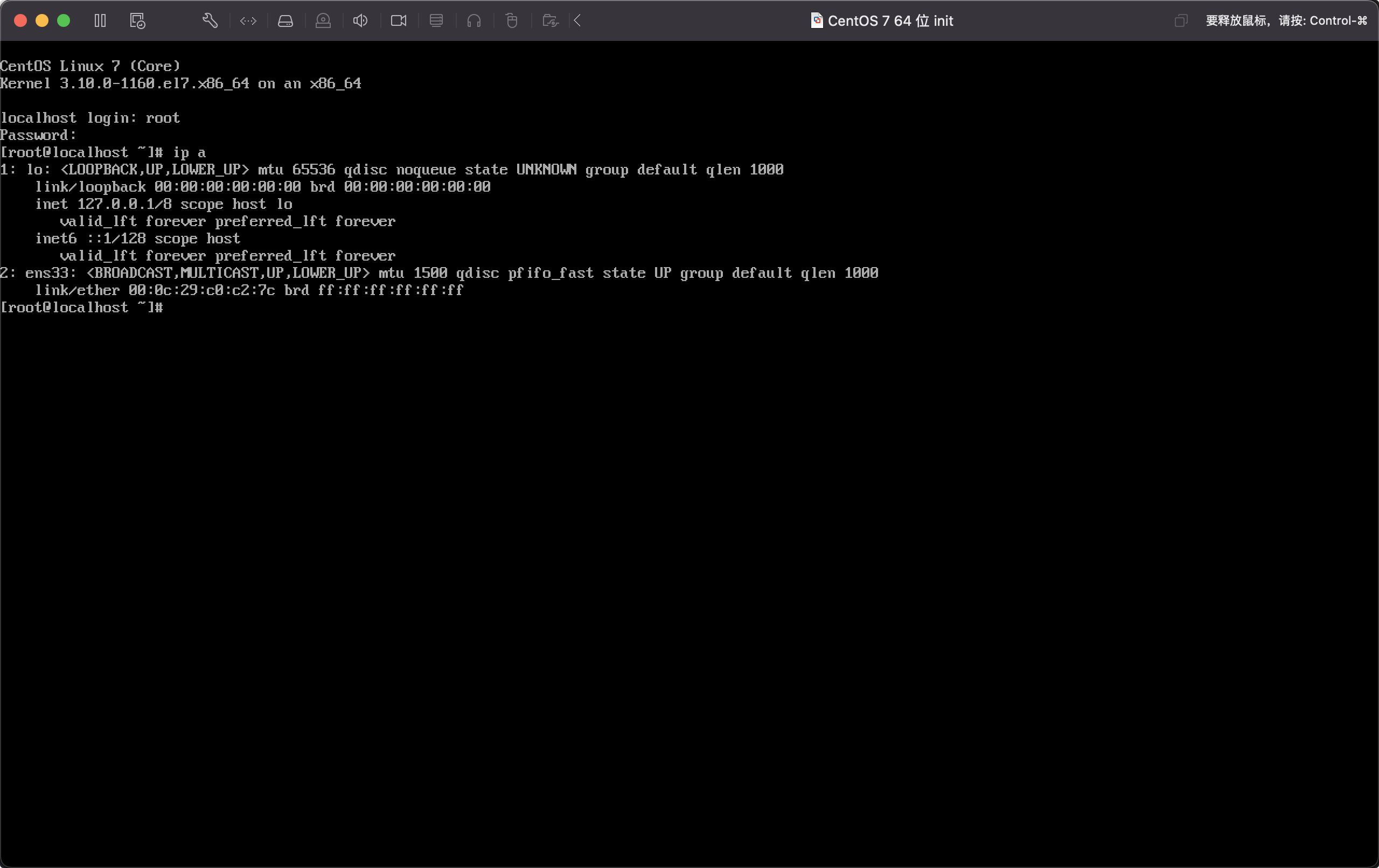
关机新增第二个网卡
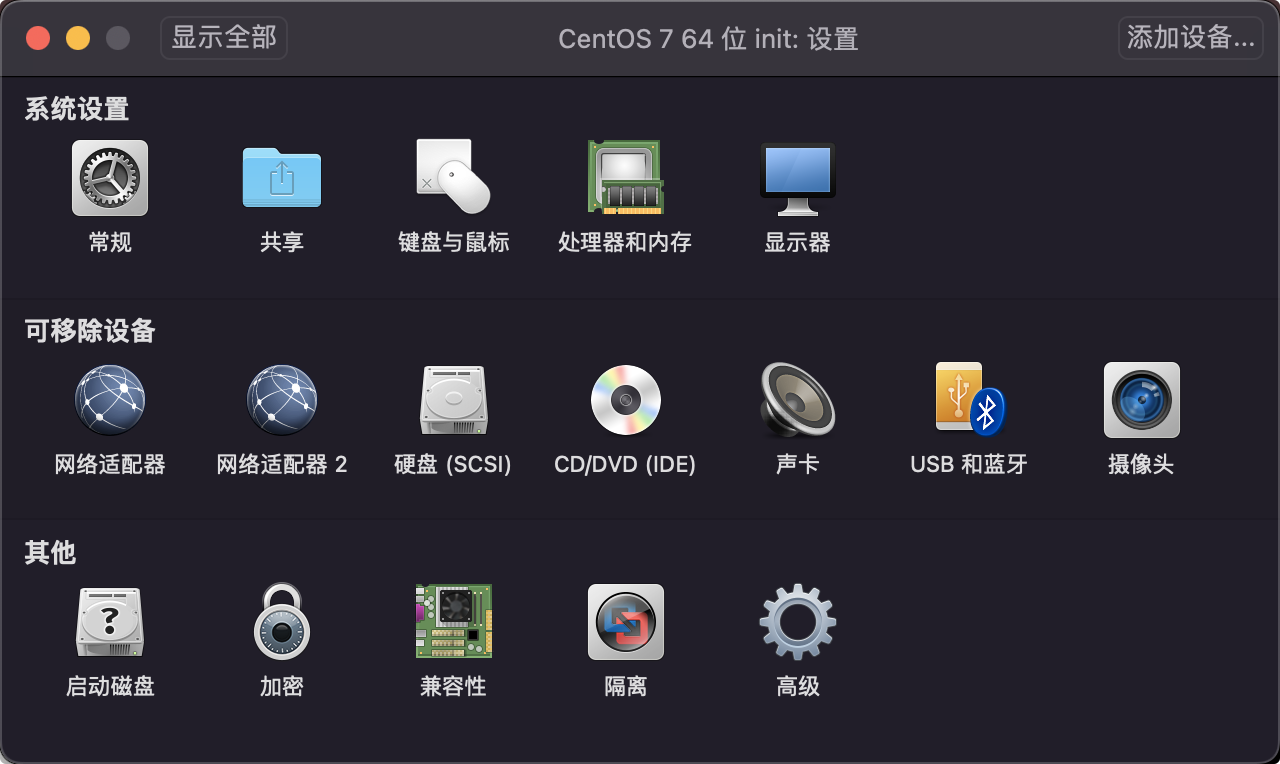
设置网络

修改第一个网卡为自定义
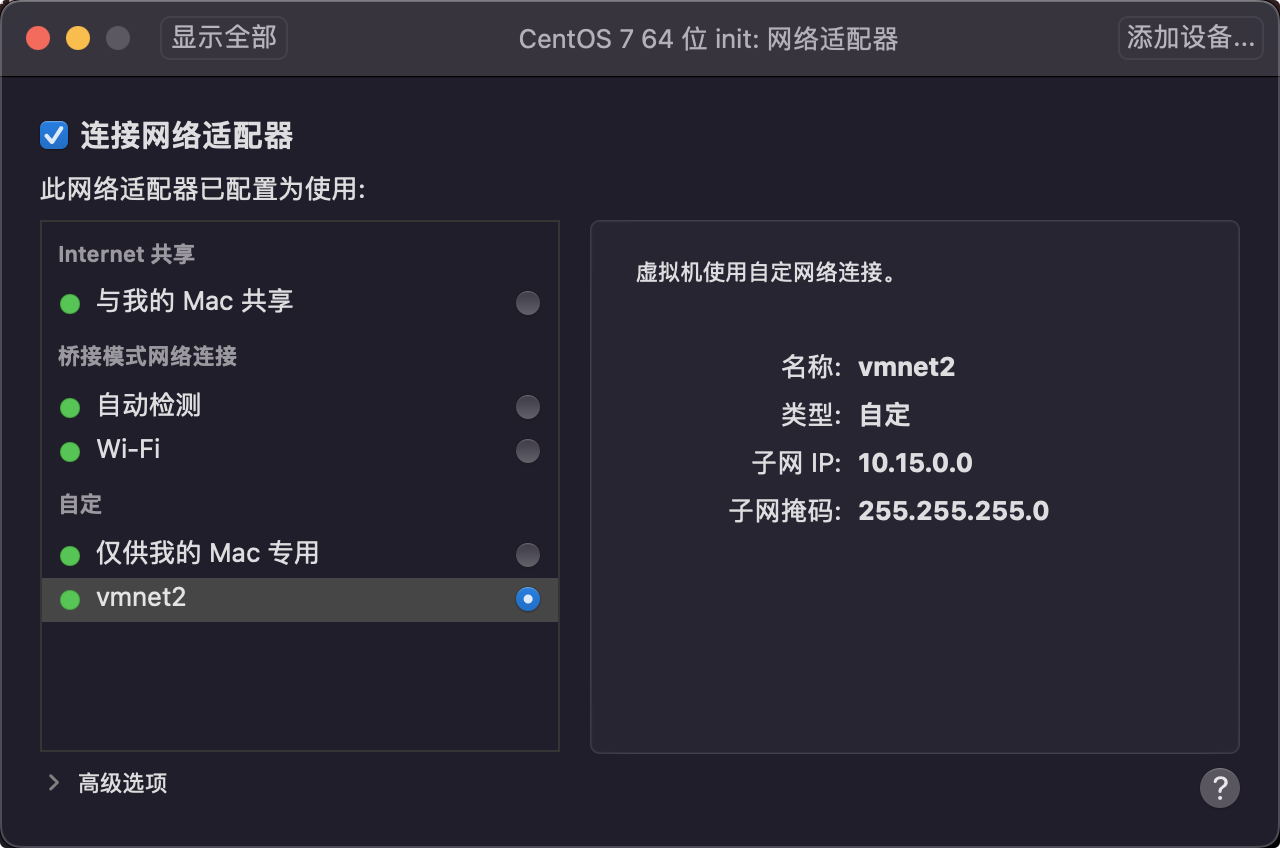
编辑网络

1
2
3
4
5
6
7
8
9
10
11
12
13
14
15
16
17
18
19
20
21
22
23
24
25
26
27
28
29
30
31
32
33
34
35
36
37
38
39
40
41
42
43
44
45
46
47
48
49
50
51
52
53
54
55
$ ip a
1: lo: <LOOPBACK,UP,LOWER_UP> mtu 65536 qdisc noqueue state UNKNOWN group default qlen 1000
link/loopback 00:00:00:00:00:00 brd 00:00:00:00:00:00
inet 127.0.0.1/8 scope host lo
valid_lft forever preferred_lft forever
inet6 ::1/128 scope host
valid_lft forever preferred_lft forever
2: ens33: <BROADCAST,MULTICAST,UP,LOWER_UP> mtu 1500 qdisc pfifo_fast state UP group default qlen 1000
link/ether 00:0c:29:c0:c2:7c brd ff:ff:ff:ff:ff:ff
3: ens36: <BROADCAST,MULTICAST,UP,LOWER_UP> mtu 1500 qdisc pfifo_fast state UP group default qlen 1000
link/ether 00:0c:29:c0:c2:86 brd ff:ff:ff:ff:ff:ff
inet 192.168.107.134/24 brd 192.168.107.255 scope global noprefixroute dynamic ens36
valid_lft 1775sec preferred_lft 1775sec
inet6 fe80::631c:2b44:99d2:9c67/64 scope link noprefixroute
valid_lft forever preferred_lft forever

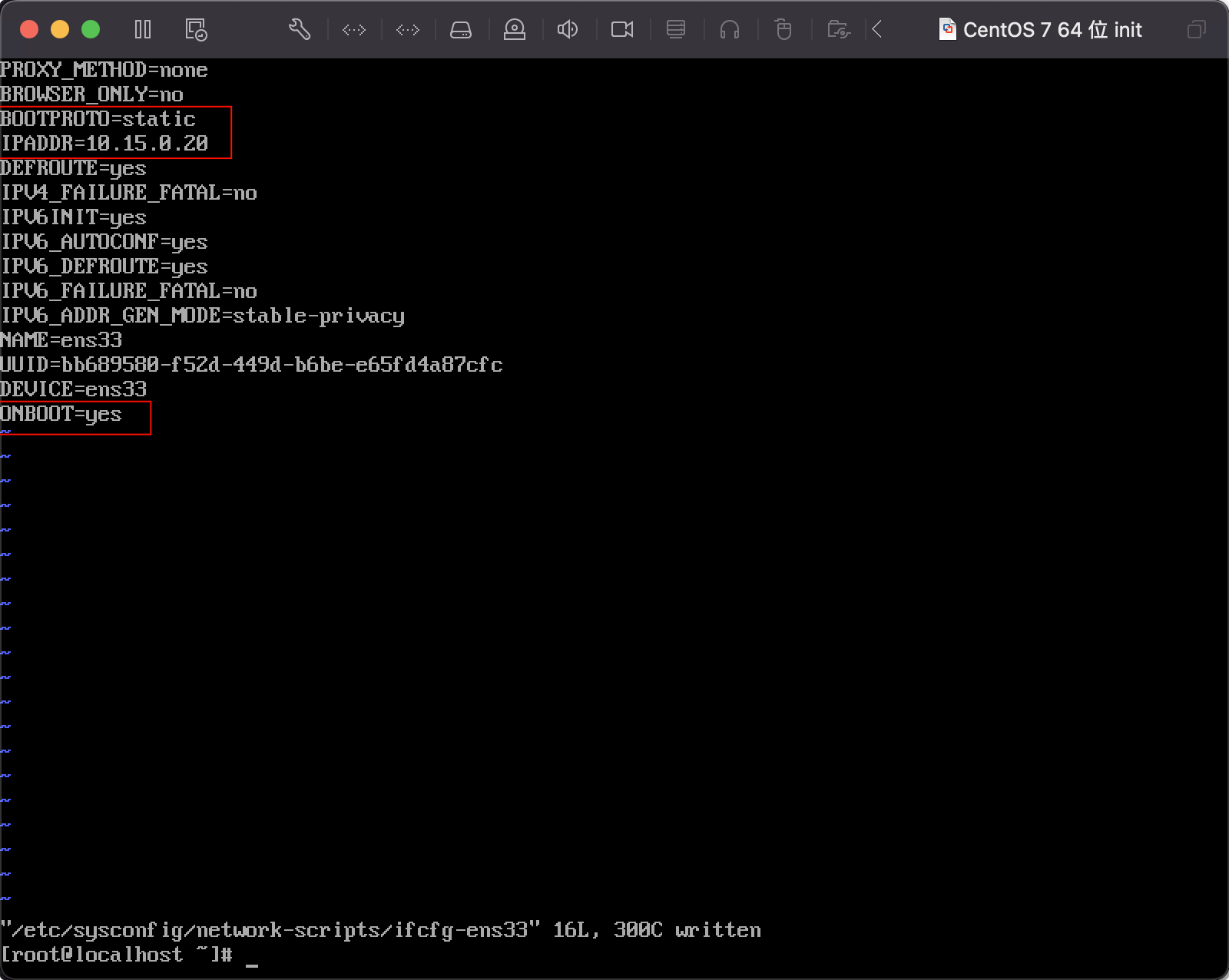
$ vi /etc/sysconf/network-scripts/ifcfg-ens33
TYPE=Ethernet
PROXY_METHOD=none
BROWSER_ONLY=no
BOOTPROTO=static
IPADDR=10.15.0.20
DEFROUTE=yes
IPV4_FAILURE_FATAL=no
IPV6INIT=yes
IPV6_AUTOCONF=yes
IPV6_DEFROUTE=yes
IPV6_FAILURE_FATAL=no
IPV6_ADDR_GEN_MODE=stable-privacy
NAME=ens33
UUID=bb689580-f52d-449d-b6be-e65fd4a87cfc
DEVICE=ens33
ONBOOT=yes

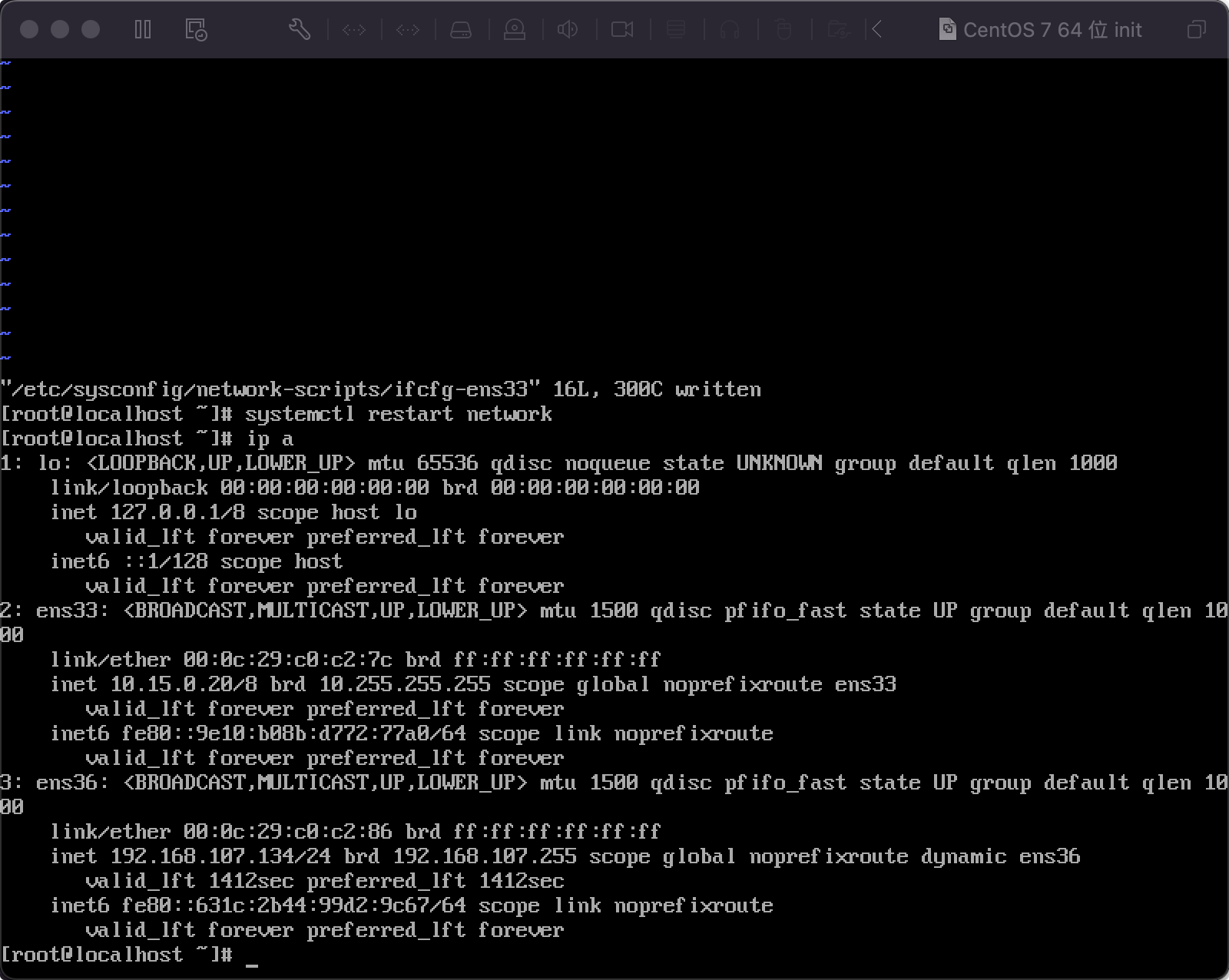
$ systemctl restart network

$ ip a
1: lo: <LOOPBACK,UP,LOWER_UP> mtu 65536 qdisc noqueue state UNKNOWN group default qlen 1000
link/loopback 00:00:00:00:00:00 brd 00:00:00:00:00:00
inet 127.0.0.1/8 scope host lo
valid_lft forever preferred_lft forever
inet6 ::1/128 scope host
valid_lft forever preferred_lft forever
2: ens33: <BROADCAST,MULTICAST,UP,LOWER_UP> mtu 1500 qdisc pfifo_fast state UP group default qlen 1000
link/ether 00:0c:29:c0:c2:7c brd ff:ff:ff:ff:ff:ff
inet 10.15.0.20/8 brd 10.255.255.255 scope global noprefixroute ens33
valid_lft forever preferred_lft forever
inet6 fe80::9e10:b08b:d772:77a0/64 scope link noprefixroute
valid_lft forever preferred_lft forever
3: ens36: <BROADCAST,MULTICAST,UP,LOWER_UP> mtu 1500 qdisc pfifo_fast state UP group default qlen 1000
link/ether 00:0c:29:c0:c2:86 brd ff:ff:ff:ff:ff:ff
inet 192.168.107.134/24 brd 192.168.107.255 scope global noprefixroute dynamic ens36
valid_lft 1775sec preferred_lft 1775sec
inet6 fe80::631c:2b44:99d2:9c67/64 scope link noprefixroute
valid_lft forever preferred_lft forever

修改源

1
2
3
4
5
6
7
8
9
10
11
12
13
14
15
16
17
18
19
20
21
22
23
24
25
26
27
28
29
30
31
32
33
34
35
36
37
38
39
40
41
42
43
44
45
46
47
48
$ cat /etc/centos-release
CentOS Linux release 7.9.2009 (Core)

$ sed -e "s|^mirrorlist=|#mirrorlist=|g" \
-e "s|^#baseurl=http://mirror.centos.org/centos/\$releasever|baseurl=https://mirrors.tuna.tsinghua.edu.cn/centos-vault/7.9.2009|g" \
-e "s|^#baseurl=http://mirror.centos.org/\$contentdir/\$releasever|baseurl=https://mirrors.tuna.tsinghua.edu.cn/centos-vault/7.9.2009|g" \
-i.bak \
/etc/yum.repos.d/CentOS-*.repo

$ sed -i \
-e 's/^enabled=0/enabled=1/g' \
/etc/yum.repos.d/CentOS-Base.repo

$ yum clean all
Loaded plugins: fastestmirror
Cleaning repos: base centosplus extras updates

$ yum makecache
Loaded plugins: fastestmirror
Determining fastest mirrors
base | 3.6 kB 00:00:00
centosplus | 2.9 kB 00:00:00
extras | 2.9 kB 00:00:00
updates | 2.9 kB 00:00:00
(1/13): base/x86_64/group_gz | 153 kB 00:00:00
(2/13): base/x86_64/primary_db | 6.1 MB 00:00:00
(3/13): base/x86_64/filelists_db | 7.2 MB 00:00:01
(4/13): base/x86_64/other_db | 2.6 MB 00:00:00
(5/13): centosplus/x86_64/filelists_db | 3.7 MB 00:00:00
(6/13): centosplus/x86_64/other_db | 175 kB 00:00:00
(7/13): centosplus/x86_64/primary_db | 8.3 MB 00:00:01
(8/13): extras/x86_64/filelists_db | 305 kB 00:00:00
(9/13): extras/x86_64/primary_db | 253 kB 00:00:00
(10/13): extras/x86_64/other_db | 154 kB 00:00:00
(11/13): updates/x86_64/filelists_db | 15 MB 00:00:01
(12/13): updates/x86_64/other_db | 1.6 MB 00:00:00
(13/13): updates/x86_64/primary_db | 27 MB 00:00:02
Metadata Cache Created

$ yum repolist
Loaded plugins: fastestmirror
Loading mirror speeds from cached hostfile
repo id repo name status
base/x86_64 CentOS-7 - Base 10,072
centosplus/x86_64 CentOS-7 - Plus 277
extras/x86_64 CentOS-7 - Extras 526
updates/x86_64 CentOS-7 - Updates 6,173
repolist: 17,048

集群规划

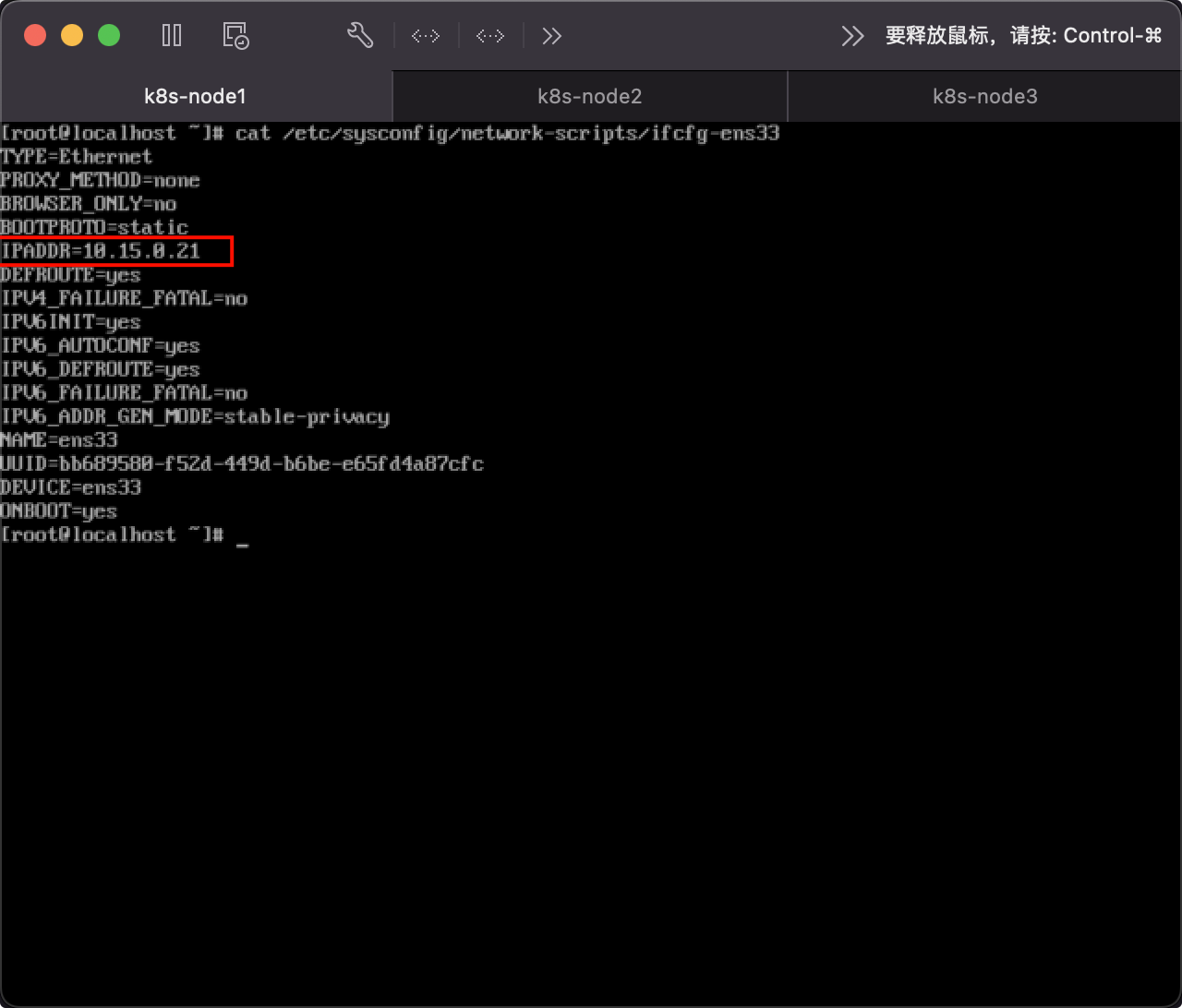
  • k8s-node1:10.15.0.21
  • k8s-node2:10.15.0.22
  • k8s-node3:10.15.0.23

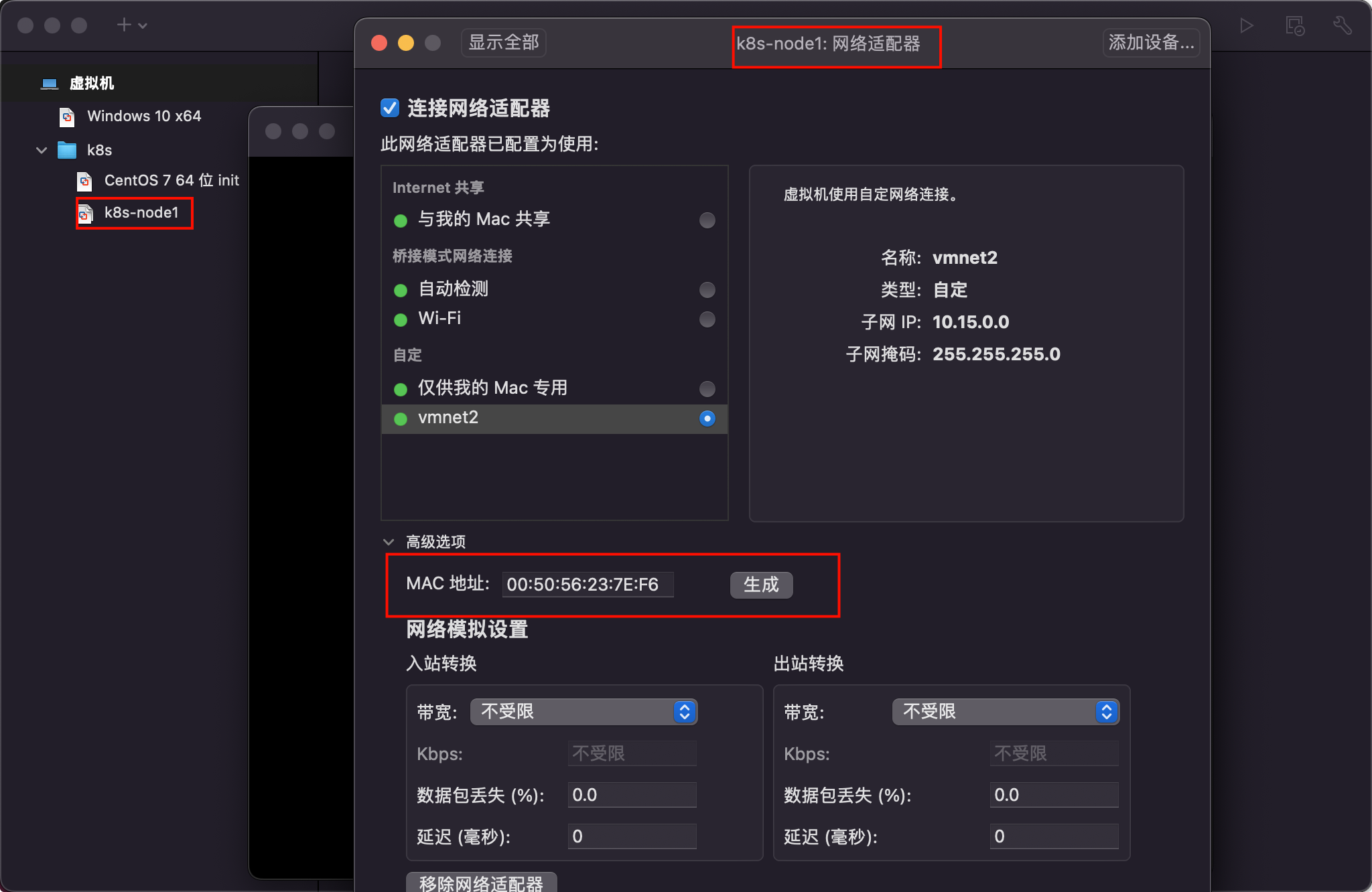
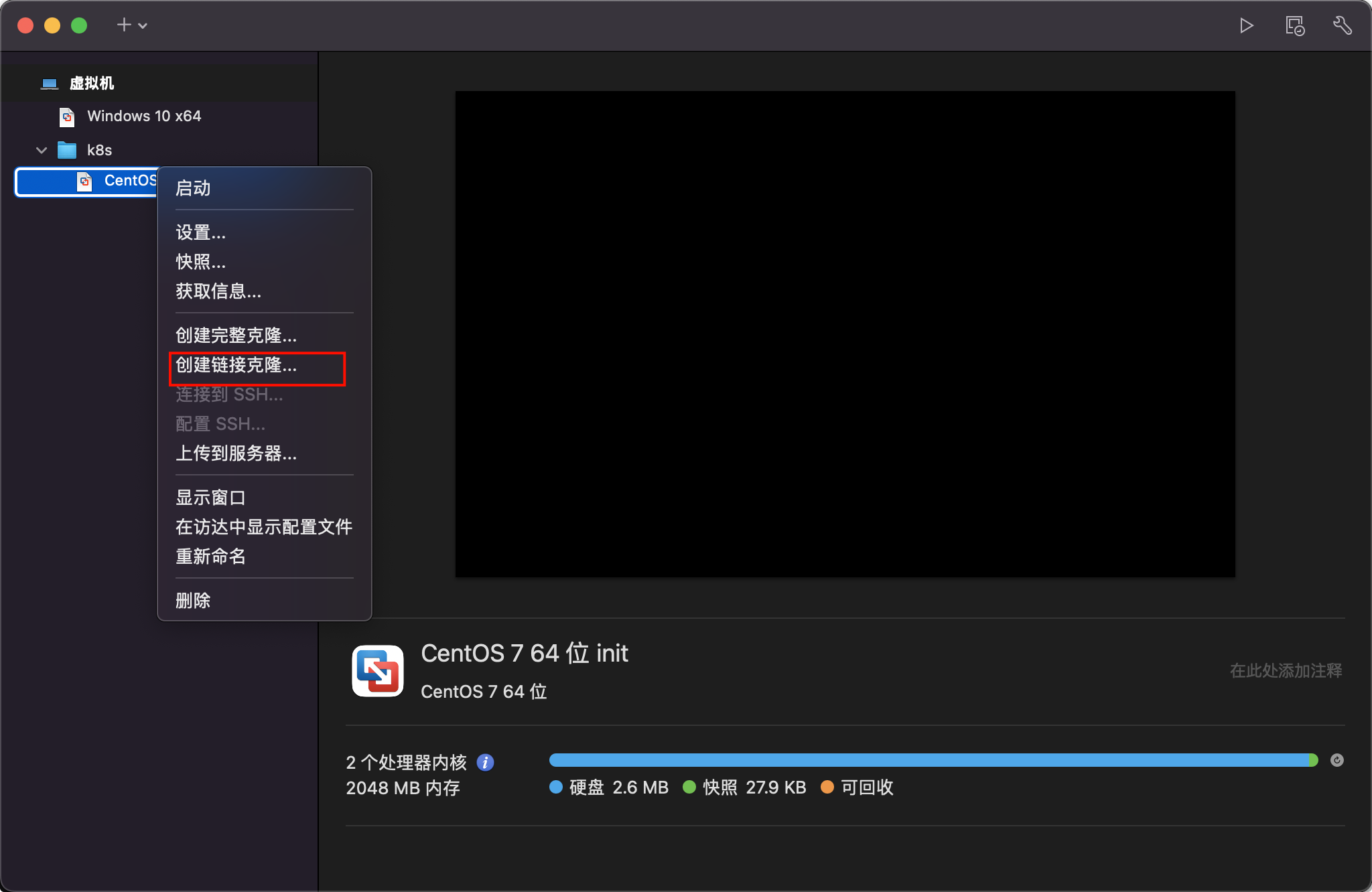
从初始化的系统中克隆三台,克隆的时候需要重新生成MAC地址,并分别修改固定IP。
集群系统基础环境配置

设置主机名

1
2
3
$ hostnamectl set-hostname k8s-node1  
$ hostnamectl set-hostname k8s-node2
$ hostnamectl set-hostname k8s-node3

同步 hosts 文件

如果 DNS 不支持主机名称解析,还需要在每台机器的 /etc/hosts 文件中添加主机名和 IP 的对应关系:

1
2
3
4
5
cat >> /etc/hosts <<EOF
10.15.0.21 k8s-node1
10.15.0.22 k8s-node2
10.15.0.23 k8s-node3
EOF

关闭防火墙

1
$ systemctl stop firewalld && systemctl disable firewalld

关闭 SELINUX

注意: ARM 架构请勿执行,执行会出现 ip 无法获取问题!

1
$ setenforce 0 && sed -i 's/SELINUX=enforcing/SELINUX=disabled/g' /etc/selinux/config

关闭 swap 分区

1
$ swapoff -a && sed -ri 's/.*swap.*/#&/' /etc/fstab

同步时间

1
2
$ yum install ntpdate -y
$ ntpdate time.windows.com

安装 containerd

1
2
3
4
5
6
7
8
9
10
11
12
13
14
15
16
17
18
19
20
21
22
23
24
25
26
27
28
29
30
31
32
33
34
35
36
37
38
# 安装 yum-config-manager 相关依赖
$ yum install -y yum-utils device-mapper-persistent-data lvm2
# 添加 containerd yum 源
$ yum-config-manager --add-repo http://mirrors.aliyun.com/docker-ce/linux/centos/docker-ce.repo
# 安装 containerd
$ yum install -y containerd.io cri-tools
# 配置 containerd
$ cat > /etc/containerd/config.toml <<EOF
disabled_plugins = ["restart"]
[plugins.linux]
shim_debug = true
[plugins.cri.registry.mirrors."docker.io"]
endpoint = ["https://frz7i079.mirror.aliyuncs.com"]
[plugins.cri]
sandbox_image = "registry.aliyuncs.com/google_containers/pause:3.2"
EOF
# 启动 containerd 服务 并 开机配置自启动
$ systemctl enable containerd && systemctl start containerd && systemctl status containerd

# 配置 containerd 配置
$ cat > /etc/modules-load.d/containerd.conf <<EOF
overlay
br_netfilter
EOF

# 配置 k8s 网络配置
$ cat > /etc/sysctl.d/k8s.conf <<EOF
net.bridge.bridge-nf-call-ip6tables = 1
net.bridge.bridge-nf-call-iptables = 1
net.ipv4.ip_forward = 1
EOF

# 加载 overlay br_netfilter 模块
$ modprobe overlay
$ modprobe br_netfilter

# 查看当前配置是否生效
$ sysctl -p /etc/sysctl.d/k8s.conf

安装 k8s

添加源

  • 查看源
1
$ yum repolist
  • 添加源 x86
1
2
3
4
5
6
7
8
9
10
11
$ cat <<EOF > kubernetes.repo
[kubernetes]
name=Kubernetes
baseurl=https://mirrors.aliyun.com/kubernetes/yum/repos/kubernetes-el7-x86_64
enabled=1
gpgcheck=0
repo_gpgcheck=0
gpgkey=https://mirrors.aliyun.com/kubernetes/yum/doc/yum-key.gpg https://mirrors.aliyun.com/kubernetes/yum/doc/rpm-package-key.gpg
EOF
$ mv kubernetes.repo /etc/yum.repos.d/
$ yum makecache
  • 添加源 ARM
1
2
3
4
5
6
7
8
9
10
11
12
$ cat << EOF > kubernetes.repo 
[kubernetes]
name=Kubernetes
baseurl=https://mirrors.aliyun.com/kubernetes/yum/repos/kubernetes-el7-aarch64
enabled=1
gpgcheck=0
repo_gpgcheck=0
gpgkey=https://mirrors.aliyun.com/kubernetes/yum/doc/yum-key.gpg https://mirrors.aliyun.com/kubernetes/yum/doc/rpm-package-key.gpg
EOF

$ mv kubernetes.repo /etc/yum.repos.d/
$ yum makecache

执行安装

1
2
3
4
5
6
7
8
# 安装最新版本
$ yum install -y kubelet kubeadm kubectl

# 指定版本安装
# yum install -y kubelet-1.26.0 kubectl-1.26.0 kubeadm-1.26.0

# 启动 kubelet
$ sudo systemctl enable kubelet && sudo systemctl start kubelet && sudo systemctl status kubelet

初始化集群

  • 注意: 初始化 k8s 集群仅仅需要再在 master 节点进行集群初始化!
1
2
3
4
5
6
7
8
9
10
11
12
13
14
15
16
17
18
19
20
21
22
23
24
25
26
27
28
29
30
31
32
33
34
35
36
37
38
39
40
41
42
43
# 主节点执行
$ kubeadm init \
--apiserver-advertise-address=10.15.0.21 \
--pod-network-cidr=10.244.0.0/16 \
--image-repository registry.aliyuncs.com/google_containers \
--cri-socket=unix:///var/run/containerd/containerd.sock

......
Your Kubernetes control-plane has initialized successfully!

To start using your cluster, you need to run the following as a regular user:

mkdir -p $HOME/.kube
sudo cp -i /etc/kubernetes/admin.conf $HOME/.kube/config
sudo chown $(id -u):$(id -g) $HOME/.kube/config

Alternatively, if you are the root user, you can run:

export KUBECONFIG=/etc/kubernetes/admin.conf

You should now deploy a pod network to the cluster.
Run "kubectl apply -f [podnetwork].yaml" with one of the options listed at:
https://kubernetes.io/docs/concepts/cluster-administration/addons/

Then you can join any number of worker nodes by running the following on each as root:

kubeadm join 10.15.0.21:6443 --token 2szcty.rro9hxs3krlrn1ws \
--discovery-token-ca-cert-hash sha256:43e18607bdcbd2e302efb3549bd48134f5370adbf6af5cf7443c0f240f240ef8

$ mkdir -p $HOME/.kube
$ sudo cp -i /etc/kubernetes/admin.conf $HOME/.kube/config
$ sudo chown $(id -u):$(id -g) $HOME/.kube/config
$ kubectl get nodes
NAME STATUS ROLES AGE VERSION
k8s-node1 NotReady control-plane 6m45s v1.28.2
$ watch -n 1 -d kubectl get nodes

# 若上面的token忘记了
$ kubeadm token create --print-join-command --ttl=0

# 添加新节点-node节点执行
$ kubeadm join 10.15.0.21:6443 --token 2szcty.rro9hxs3krlrn1ws \
--discovery-token-ca-cert-hash sha256:43e18607bdcbd2e302efb3549bd48134f5370adbf6af5cf7443c0f240f240ef8

配置集群网络

  • 注意: 只在主节点执行即可!
1
2
3
# 创建配置: kube-flannel.yml ,执行 kubectl apply -f kube-flannel.yml
$ vi kube-flannel.yml
$ kubectl apply -f kube-flannel.yml
1
2
3
4
5
6
7
8
9
10
11
12
13
14
15
16
17
18
19
20
21
22
23
24
25
26
27
28
29
30
31
32
33
34
35
36
37
38
39
40
41
42
43
44
45
46
47
48
49
50
51
52
53
54
55
56
57
58
59
60
61
62
63
64
65
66
67
68
69
70
71
72
73
74
75
76
77
78
79
80
81
82
83
84
85
86
87
88
89
90
91
92
93
94
95
96
97
98
99
100
101
102
103
104
105
106
107
108
109
110
111
112
113
114
115
116
117
118
119
120
121
122
123
124
125
126
127
128
129
130
131
132
133
134
135
136
137
138
139
140
141
142
143
144
145
146
147
148
149
150
151
152
153
154
155
156
157
158
159
160
161
162
163
164
165
166
167
168
169
170
171
172
173
174
175
176
177
178
179
180
181
182
183
184
185
186
187
188
189
190
191
192
193
194
195
196
197
198
199
200
201
202
203
204
205
---
kind: Namespace
apiVersion: v1
metadata:
name: kube-flannel
labels:
pod-security.kubernetes.io/enforce: privileged
---
kind: ClusterRole
apiVersion: rbac.authorization.k8s.io/v1
metadata:
name: flannel
rules:
- apiGroups:
- ""
resources:
- pods
verbs:
- get
- apiGroups:
- ""
resources:
- nodes
verbs:
- get
- list
- watch
- apiGroups:
- ""
resources:
- nodes/status
verbs:
- patch
---
kind: ClusterRoleBinding
apiVersion: rbac.authorization.k8s.io/v1
metadata:
name: flannel
roleRef:
apiGroup: rbac.authorization.k8s.io
kind: ClusterRole
name: flannel
subjects:
- kind: ServiceAccount
name: flannel
namespace: kube-flannel
---
apiVersion: v1
kind: ServiceAccount
metadata:
name: flannel
namespace: kube-flannel
---
kind: ConfigMap
apiVersion: v1
metadata:
name: kube-flannel-cfg
namespace: kube-flannel
labels:
tier: node
app: flannel
data:
cni-conf.json: |
{
"name": "cbr0",
"cniVersion": "0.3.1",
"plugins": [
{
"type": "flannel",
"delegate": {
"hairpinMode": true,
"isDefaultGateway": true
}
},
{
"type": "portmap",
"capabilities": {
"portMappings": true
}
}
]
}
net-conf.json: |
{
"Network": "10.244.0.0/16",
"Backend": {
"Type": "vxlan"
}
}
---
apiVersion: apps/v1
kind: DaemonSet
metadata:
name: kube-flannel-ds
namespace: kube-flannel
labels:
tier: node
app: flannel
spec:
selector:
matchLabels:
app: flannel
template:
metadata:
labels:
tier: node
app: flannel
spec:
affinity:
nodeAffinity:
requiredDuringSchedulingIgnoredDuringExecution:
nodeSelectorTerms:
- matchExpressions:
- key: kubernetes.io/os
operator: In
values:
- linux
hostNetwork: true
priorityClassName: system-node-critical
tolerations:
- operator: Exists
effect: NoSchedule
serviceAccountName: flannel
initContainers:
- name: install-cni-plugin
#image: flannelcni/flannel-cni-plugin:v1.1.0 for ppc64le and mips64le (dockerhub limitations may apply)
image: docker.io/rancher/mirrored-flannelcni-flannel-cni-plugin:v1.1.0
command:
- cp
args:
- -f
- /flannel
- /opt/cni/bin/flannel
volumeMounts:
- name: cni-plugin
mountPath: /opt/cni/bin
- name: install-cni
#image: flannelcni/flannel:v0.20.2 for ppc64le and mips64le (dockerhub limitations may apply)
image: docker.io/rancher/mirrored-flannelcni-flannel:v0.20.2
command:
- cp
args:
- -f
- /etc/kube-flannel/cni-conf.json
- /etc/cni/net.d/10-flannel.conflist
volumeMounts:
- name: cni
mountPath: /etc/cni/net.d
- name: flannel-cfg
mountPath: /etc/kube-flannel/
containers:
- name: kube-flannel
#image: flannelcni/flannel:v0.20.2 for ppc64le and mips64le (dockerhub limitations may apply)
image: docker.io/rancher/mirrored-flannelcni-flannel:v0.20.2
command:
- /opt/bin/flanneld
args:
- --ip-masq
- --kube-subnet-mgr
resources:
requests:
cpu: "100m"
memory: "50Mi"
limits:
cpu: "100m"
memory: "50Mi"
securityContext:
privileged: false
capabilities:
add: ["NET_ADMIN", "NET_RAW"]
env:
- name: POD_NAME
valueFrom:
fieldRef:
fieldPath: metadata.name
- name: POD_NAMESPACE
valueFrom:
fieldRef:
fieldPath: metadata.namespace
- name: EVENT_QUEUE_DEPTH
value: "5000"
volumeMounts:
- name: run
mountPath: /run/flannel
- name: flannel-cfg
mountPath: /etc/kube-flannel/
- name: xtables-lock
mountPath: /run/xtables.lock
volumes:
- name: run
hostPath:
path: /run/flannel
- name: cni-plugin
hostPath:
path: /opt/cni/bin
- name: cni
hostPath:
path: /etc/cni/net.d
- name: flannel-cfg
configMap:
name: kube-flannel-cfg
- name: xtables-lock
hostPath:
path: /run/xtables.lock
type: FileOrCreate

查看集群状态

1
2
3
4
5
6
7
8
9
10
11
12
13
14
15
16
17
18
19
20
21
22
# 查看集群节点状态 全部为 Ready 代表集群搭建成功
$ kubectl get nodes
NAME STATUS ROLES AGE VERSION
k8s-node1 Ready control-plane 29m v1.28.2
k8s-node2 Ready <none> 18m v1.28.2
k8s-node3 Ready <none> 18m v1.28.2

# 查看集群系统 pod 运行情况,下面所有 pod 状态为 Running 代表集群可用
$ kubectl get pod -A
NAMESPACE NAME READY STATUS RESTARTS AGE
kube-flannel kube-flannel-ds-ltxk5 1/1 Running 0 119s
kube-flannel kube-flannel-ds-r7fl4 1/1 Running 0 119s
kube-flannel kube-flannel-ds-sb4xl 1/1 Running 0 119s
kube-system coredns-66f779496c-q79xm 1/1 Running 0 29m
kube-system coredns-66f779496c-qcs8b 1/1 Running 0 29m
kube-system etcd-k8s-node1 1/1 Running 0 30m
kube-system kube-apiserver-k8s-node1 1/1 Running 0 30m
kube-system kube-controller-manager-k8s-node1 1/1 Running 0 30m
kube-system kube-proxy-56wjm 1/1 Running 0 29m
kube-system kube-proxy-t85dn 1/1 Running 0 18m
kube-system kube-proxy-xtp7h 1/1 Running 0 18m
kube-system kube-scheduler-k8s-node1 1/1 Running 0 30m
作者

bufx

发布于

2026-01-11

更新于

2026-01-11

许可协议